Showing posts with label Basic Computer. Show all posts

Wednesday, September 17, 2014

【Basic Computer】20140918 - Movie Poster & Magazine Cover

References:


Korean Girl Group - TaeTiSeo(TTS)
SD Dolls Part1
SD Dolls Part2
Building etc.
Others

Remove all the backgrounds.

Arrange all the materials in suitable position. 
Change all the hue/saturation, levels, curves to make them look harmony.
Black color as the base color of background.
Add hue/saturation layer to change pink to bronze.
Add curves layer to make color looks darker.
Add hue/saturation layer again to low down its saturation.
Add texture to the background.
Last but not least, add the information of the movie.

Make a grid layer as reference for position.
Place the movie poster in the middle.
Then, type all the words.
Change the font style and rearrange the position of the words.
*Remove unnecessary words.

End Results:


【Basic Computer】20140917 - Texture Effect & Filter Gallery

References:


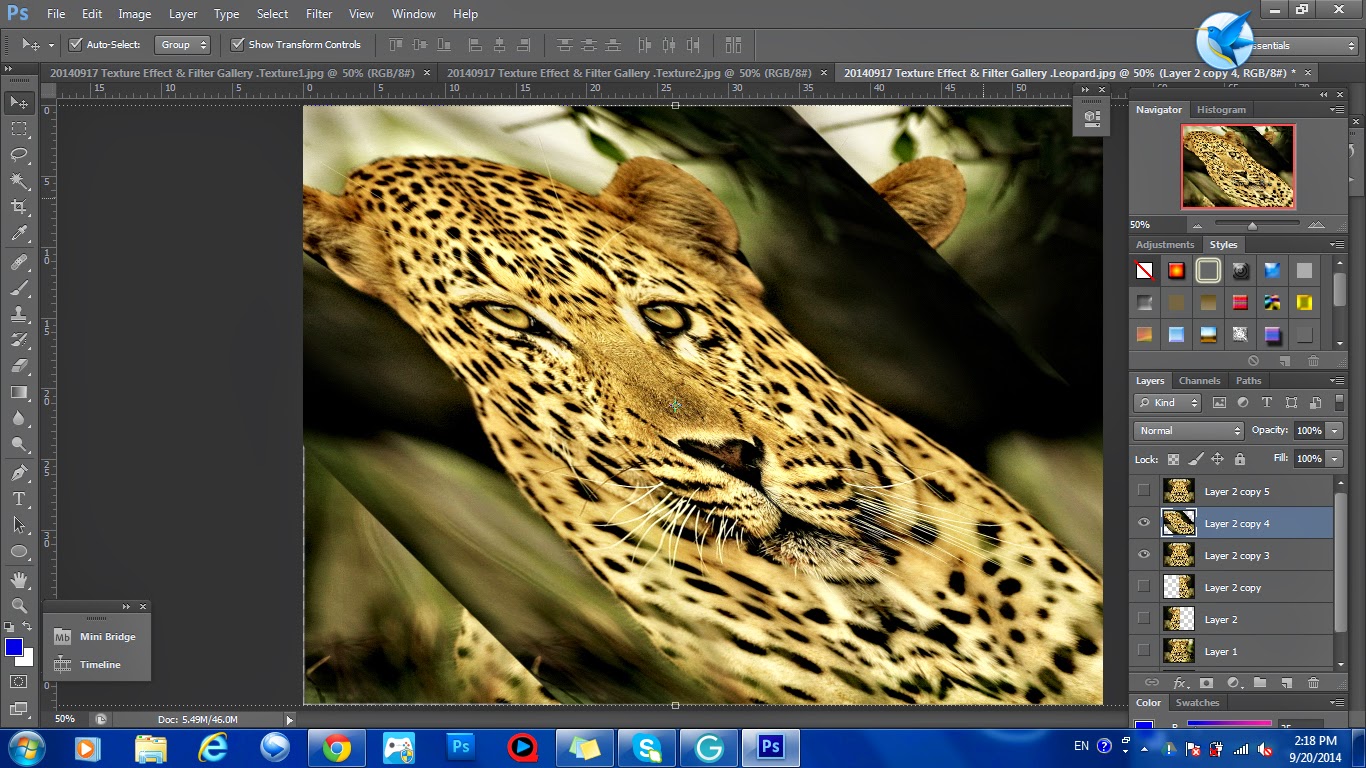
I duplicated a layer and cropped it half.
Then, I duplicated that layer and flipped horizontally to make it be symmetrical.
Duplicate layer, skew it to 45°, then (Filter > Pixelate > Mosaic), skew it back to its original position.
Duplicate another layer, apply the same effects but in different direction.
Here is the effect after the mosaic applied.
I added the textures on the image.
I changed the mode and the transparency of the textures used.
Besides, I also erased unnecessary parts of the textures.
I added another texture to fill up the empty space on the side.
Lastly, I changed the brightness/contrast, hue/saturation, curves & color balance of the entire image.

End Results:


The original image is a leopard with the forest as the background and I want to make it looks like a king with the dim golden background. The effects of the textures are trying to make the leopard looks more dignified.